“I don’t know how to get through to him.”
Your client is staring at you from the other side of the screen, completely fed up with a manager who keeps missing deadlines, avoiding difficult conversations for emotional intelligence and leadership development, and dumping work back on the team instead of improving their leadership style and competency.
You ask what they’ve tried to spot strengths and weaknesses in the situation.
“E-v-e-r-y-t-h-i-n-g.”
You both know that’s probably not true.
This is the messy middle of management coaching where good advice can only take you so far.
But eventually, you do need a concrete and effective coaching process to evaluate what’s happening, challenge the manager’s thinking, track measurable progress, and give your client a way to see what’s changing.
That’s where management coaching tools come in.
And if you’re building an online coaching business, knowing which ones to use can make your sessions far more practical, structured, and valuable.
What Is Management Coaching?
Management coaching helps managers become better leaders by working through the real problems they face with their teams, from delegation and difficult feedback to missed deadlines and low accountability.
If your client is a mid-level manager at a Sydney tech company who keeps taking work back from their team because “it’s quicker if I do it myself,” your work is to coach them through uncovering what’s driving that habit, challenge their approach, and give them practical ways to delegate without hovering.
Why use management coaching tools for your online business?
When you’re coaching managers over Zoom, the right toolkit can give your sessions structure and give clients something actionable to align with and work on afterwards.
- Identify blind spots: Use a leadership assessment to uncover habits your client may not notice themselves.
- Track behavior changes: Monitor goals around delegation, feedback, communication, or time management across a coaching program.
- Make sessions practical: Bring assessments, the GROW model, reflection exercises, feedback frameworks, and worksheets into your calls to deepen your coaching engagements.
- Build stronger coaching offers: Package your tools into a six-week new-manager program or executive coaching package.
- Create work between calls: Use a shared Notion dashboard for weekly organizational goals, reflections, and management challenges during the leadership coaching practice.
Best Management Coaching Tools and Techniques
The right management coaching tools give you something concrete to work with during and between sessions. When a client brings you a delegation problem, missed deadline, or overloaded team, you can use the right tool to see what’s happening and coach from there.
Project management coaching techniques and tools
Start with tools that help your clients see how their teams actually work. They’re particularly useful when you’re coaching managers around delegation, accountability, workloads, and missed deadlines.
1. Monday.com
Best for: Tracking delegation, workloads, deadlines, and team performance
If your client keeps saying, “My team never takes ownership,” pull up Monday.com and map out the work. Its workload view, dashboards, Gantt and timeline views can show you where responsibilities, deadlines, and capacity are getting messy.
Use that visibility to coach your client on delegation and accountability instead of relying on their assumptions.
- Price: Free plan available; paid plans start at $12 a seat per month
- Key features: Workload views, dashboards, Gantt views, automations, time tracking, AI tools
- Pros: Highly customizable, strong workload visibility
- Cons: Advanced features require higher-tier plans
2. Trello

Best for: Simple task tracking, delegation, and accountability
Working with a new manager who can’t seem to let go of tasks?
Set up a Trello board together. Assign owners and due dates, then use Custom Fields to track priority or status and Advanced Checklists to break larger responsibilities into smaller actions.
You can also use Planner to block time and Card Mirroring to keep the same task visible across different boards.
- Price: Free plan available for up to 10 collaborators; paid plans start at $5/user/month billed annually
- Key features: Custom Fields, Advanced Checklists, Planner, Card Mirroring, automation, AI organization
- Pros: Easy to learn, flexible, useful free plan
- Cons: Timeline, Dashboard, Table, and Calendar views require Premium
Best coaching techniques and coaching collaboration platforms
Some management problems are easier to work through when you can see the situation in front of you. Collaboration and coaching platforms can help you map team dynamics, work through scenarios, set goals, and keep clients accountable between sessions.
3. FigJam
Best for: Visual coaching exercises, team mapping, and collaborative problem-solving
Got a manager who can’t figure out why their team keeps stepping on each other’s toes? Open FigJam and map the team’s roles, responsibilities, communication gaps, or decision-making process together.
You can use its whiteboard, templates, diagrams, and mind maps to turn a messy management problem into something your client can see and work through with you.
- Price: Free Starter plan available; Professional Full seats start at $16/month
- Key features: Online whiteboard, templates, diagrams, mind mapping, strategic planning, AI tools
- Pros: Highly visual, great for collaborative exercises
- Cons: Some advanced features require paid seats
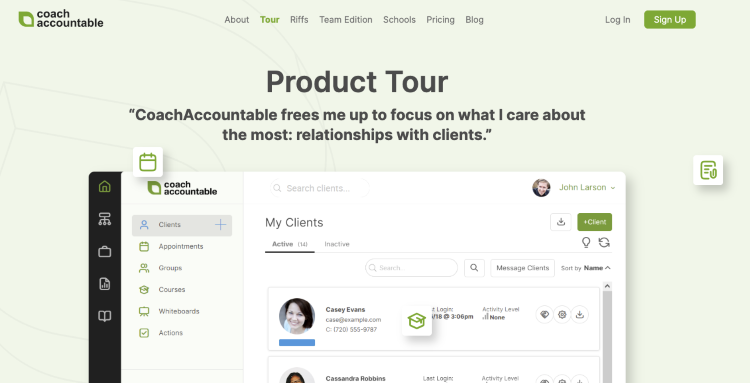
4. CoachAccountable
Best for: Managing coaching programs, client accountability, and between-session work
If you’re coaching several managers at once, CoachAccountable can keep the work between sessions organized.
You can build a coaching program around sessions, action steps, assessments, and follow-up, then use the platform to keep clients accountable after the call.
- Price: Starts at $20/month for 2 clients; 30-day free trial available
- Key features: Coaching programs, action steps, assessments, client records, accountability tracking
- Pros: Built specifically for coaching, scales by client volume
- Cons: Pricing increases as your active client list grows
Leadership and executive coaching assessment tools
Sometimes a client knows something is off in the way they lead, but they can’t see the pattern themselves. Assessments give you something concrete to bring into the conversation, so you can help them move from a vague leadership concern to a specific behavior you can work on.
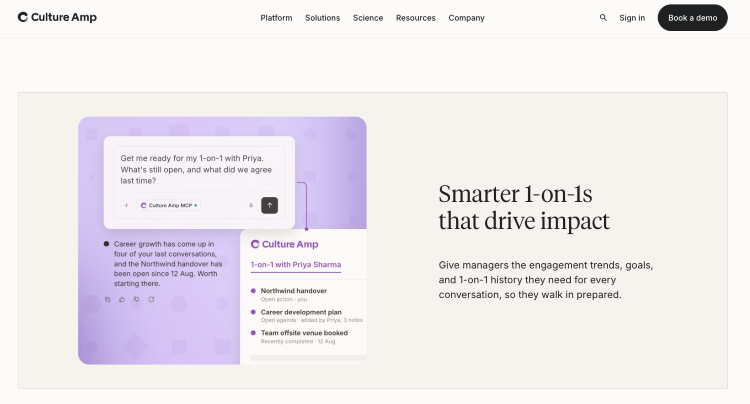
5. Culture Amp
Best for: Leadership feedback, performance conversations, and identifying development areas
Say you’re coaching a director whose team has started disengaging, but the director thinks everything is going fine.Culture Amp helps you look for recurring themes with your client, then coach them through the behaviors behind those results.
Its AI Coach can also turn workforce data into insights and action plans.
- Price: Enterprise pricing available; pricing depends on employee count, product, and service tier
- Key features: 360-degree feedback, performance reviews, continuous feedback, 1-on-1 conversations, goal management, employee development plans, AI Coach
- Pros: Brings employee and performance data into coaching conversations; useful feedback and development tools
- Cons: Pricing isn’t publicly listed; designed for organizations rather than individual coaches
6. DISC Assessment
Best for: Understanding communication styles, workplace behavior, and team relationships
Got a manager who keeps saying, “My team doesn’t listen to me”? Before giving them another communication technique, use a DISC assessment to look at how they naturally communicate and how that might come across to different people.
- Price: $90 per profile for 1-16 profiles; volume pricing goes as low as $73.50 per profile for 134+ profiles
- Key features: Personalized workplace profile, six learning modules, style comparisons, interactive learning through Catalyst
- Pros: Easy for clients to understand; useful for communication and conflict coaching
- Cons: You need one profile per participant; group features require an admin account
7. 16Personalities
Best for: Self-awareness, leadership reflection, and team communication
16Personalities can give your client a language for thinking about their preferences, communication style, strengths, and workplace behavior, which you can then connect to the management situations you’re coaching them through.
The platform also offers team assessments and tools for professionals.
- Price: Free personality test available; Premium Career Suite ~$26
- Key features: Personality assessment, team assessments, career and personality insights, 31 tests and tools in the Pro Suite
- Pros: Accessible starting point; easy to use as a conversation starter
- Cons: Better suited to self-reflection than formal performance measurement; paid tools cover broader personality and career insights
Time management coaching tools
Time management problems can be hard to coach when you’re working from a client’s perception of how busy they are. These tools give you something concrete to look at, from overloaded calendars to time disappearing into distractions.
8. Google Calendar
Best for: Managing schedules, focus time, meetings, and competing priorities
Got a manager whose calendar is packed from morning to night? Open Google Calendar and look at where their time is actually going. You can use it to block focus time, protect space for important work, and spot meetings that could be shortened, moved, or removed.
- Price: Free for personal use; paid features available through Google Workspace
- Key features: Shared calendars, focus time, appointment schedules, tasks, working hours
- Pros: Easy to use, integrates with other Google tools
- Cons: More advanced features require paid plans
9. RescueTime
Best for: Tracking work habits, distractions, and focus time
If your client feels like their workday disappears before they get to their priorities, RescueTime automatically tracks activity across apps and websites, giving you data to use when coaching them around focus, distractions, and how they spend their time.
- Price: Plans start at $9/month for Solo Focus; Solo+ starts at $15/month; Team Focus starts at $12/month/user
- Key features: Automatic time tracking, distraction blocking, Focus Sessions, productivity reports, goals and alerts, calendar integration, focus zone detection
- Pros: Tracks activity automatically, gives you detailed data to work with
- Cons: More advanced time tracking and team features require higher-tier plans
AI, CRM and communication management coaching tools
Management coaching can involve a lot of questions, client communication, and follow-up. These AI tools for coaches can help you prepare better coaching conversations, work through client tasks, and keep communication organized.
10. EHQ Coaching Questions Generator
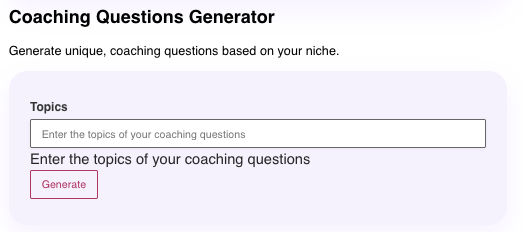
Best for: Creating coaching questions around specific management topics
Need better questions for a session on delegation, communication, or team conflict? Enter the topic into the Entrepreneurs HQ Coaching Questions Generator and use the questions it creates to get the conversation moving.
- Price: Free
- Key features: Niche-based coaching questions, topic-based question generation
- Pros: Quick to use, easy to adapt to different coaching topics
- Cons: Questions still need to be matched to the client’s specific situation
11. Claude Cowork
Best for: Helping managers work through complex tasks, files, and multi-step projects
Got a client who needs help working through a pile of documents or a complicated project? Claude Cowork can handle multi-step tasks, file operations, and other work while you coach your client on how they approach and prioritize the work itself.
- Price: Included with Claude Pro at $20/month or Claude Max at $100/month; no separate Cowork fee
- Key features: Multi-step task handling, file access, integrations, extended thinking on Max, Claude chat
- Pros: Useful for complex work, available with the Pro plan
- Cons: Cowork tasks can use more of your monthly usage; heavier users may need Max
12. Zoom
Best for: Running coaching sessions, managing client communication, and capturing session notes
Zoom gives you meetings, chat, AI note-taking, calendar tools, tasks, and other communication features in one platform.
You can use the AI summaries and notes to keep track of what was discussed and what your client needs to work on next.
- Price: Free Basic plan; Workplace Pro starts at $16.99/user/month; Business starts at $21.99/user/month
- Key features: Video meetings, AI meeting summaries, AI note-taking, chat, calendar, tasks, whiteboard, clips, cloud storage
- Pros: Combines meetings and workplace tools, strong AI meeting features
- Cons: Some AI and collaboration features require a paid plan, advanced admin features are aimed at larger teams
How To Become A Management Coach (Checklist)
You can turn management experience, coaching skills, and a clear niche into a management coaching business. If you want to get coaching clients online, build the skills first, then create an offer around a specific type of manager and problem.
☐ Choose your niche: Help first-time managers in California startups, SaaS leaders, or executives running remote teams.
☐ Build your coaching skills: Learn questioning, active listening, goal setting, accountability, and feedback.
☐ Get relevant training: Look at programs from organizations such as the Co-Active Training Institute or ICF-accredited providers.
☐ Use your experience: Draw from situations you’ve handled yourself, from delegation problems to difficult performance conversations.
☐ Create your framework: Build a repeatable process around assessments, goals, coaching sessions, and follow-up.
☐ Choose your tools: Add assessments, feedback systems, time management tools, and digital dashboards.
☐ Create your offer: Package your expertise into something specific, such as a 12-week program for newly promoted managers.
☐ Get coaching reps: Work with real clients, gather feedback, and refine your process.
What Are the Different Types of Coaching Management Styles?
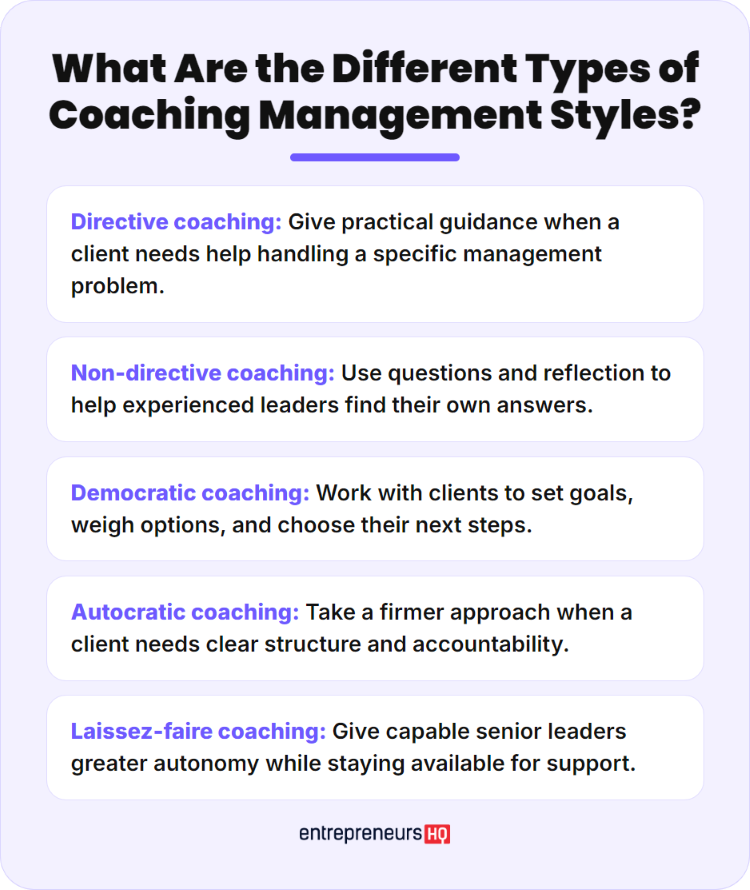
Your coaching style should fit the manager sitting across from you. A newly promoted manager at a FinTech startup may need more structure, while an experienced marketing executive might need room to think.
- Directive coaching: Give practical guidance when a client needs help handling a specific management problem.
- Non-directive coaching: Use questions and reflection to help experienced leaders find their own answers.
- Democratic coaching: Work with clients to set goals, weigh options, and choose their next steps.
- Autocratic coaching: Take a firmer approach when a client needs clear structure and accountability.
- Laissez-faire coaching: Give capable senior leaders greater autonomy while staying available for support.
How does coaching management style affect tool selection?
Your coaching style changes how you use each tool. Pick one based on how much direction your client needs and what you need to accomplish during the session.
- Directive coaching: Use Monday.com, Trello, or Google Calendar to identify a specific problem and give the client a practical next step.
- Non-directive coaching: Use the Coaching Questions Generator, DISC Assessment, or 16Personalities to give clients prompts and insights they can reflect on and interpret themselves.
- Democratic coaching: Use FigJam or CoachAccountable to work through options, set goals, and agree on action steps together.
- Autocratic coaching: Use Trello, Monday.com, RescueTime, or CoachAccountable to set clear expectations, track actions, and review follow-through.
- Laissez-faire coaching: Give experienced leaders tools they can use independently, such as RescueTime for reviewing time use or Culture Amp for examining feedback and performance data.
Your client’s context matters, too.
A new startup manager may need Trello or Google Calendar to build basic management habits. An experienced corporate executive may get more value from Culture Amp, FigJam, or RescueTime to examine leadership patterns and make higher-level changes.
Which management coaching tools should you use?
Choose the tool based on the problem you’re coaching through. When two tools cover similar ground, look at what you need the tool to help you see or do.
| If you need to… | Use… | Because… |
| Improve delegation and workload visibility | Monday.com | You can see ownership, capacity, deadlines, and workloads in one place. |
| Keep delegation simple | Trello | It gives you an easy way to assign tasks, owners, priorities, and due dates. |
| Explore a messy team problem together | FigJam | You can map roles, communication gaps, decisions, and processes visually. |
| Explore communication and behavior | DISC Assessment | It gives you a framework for discussing workplace communication styles. |
| Explore self-awareness | 16Personalities | It gives clients an accessible starting point for reflecting on their preferences and behavior. |
| Get structured leadership feedback | Culture Amp | You can work with employee feedback, performance data, and development insights. |
| Improve time management | Google Calendar | You can restructure the client’s schedule and protect time for priorities. |
| Find out where time is actually going | RescueTime | Automatic tracking shows how the client spends time across apps and websites. |
| Generate coaching prompts | Coaching Questions Generator | You can quickly create questions around a specific coaching topic. |
| Manage coaching goals and follow-up | CoachAccountable | You can track action steps, assessments, sessions, and accountability. |
| Work through complex tasks with AI | Claude Cowork | It can handle multi-step work and file-based tasks. |
| Run and manage coaching sessions | Zoom | Meetings, AI notes, summaries, chat, calendar, and tasks are available in one platform. |
The Top Tier Tools to Build Your Best Offer
You’ve got plenty of management coaching tools to work with now.
Use Monday.com or Trello when delegation gets messy. Pull out DISC or 16Personalities when communication needs a closer look. Use Google Calendar or RescueTime when time management keeps coming up.
Then bring in AI, assessments, and coaching platforms when the situation calls for them.
The next question is probably the one that matters most:
How are you turning all that management expertise into a high-ticket coaching offer?
That’s what the Highly-Paid Coach Blueprint can help you build, with a system designed to help you land 3-5 high-paying clients in the next few weeks.
Get Your Free Highly-Paid Coach Blueprint